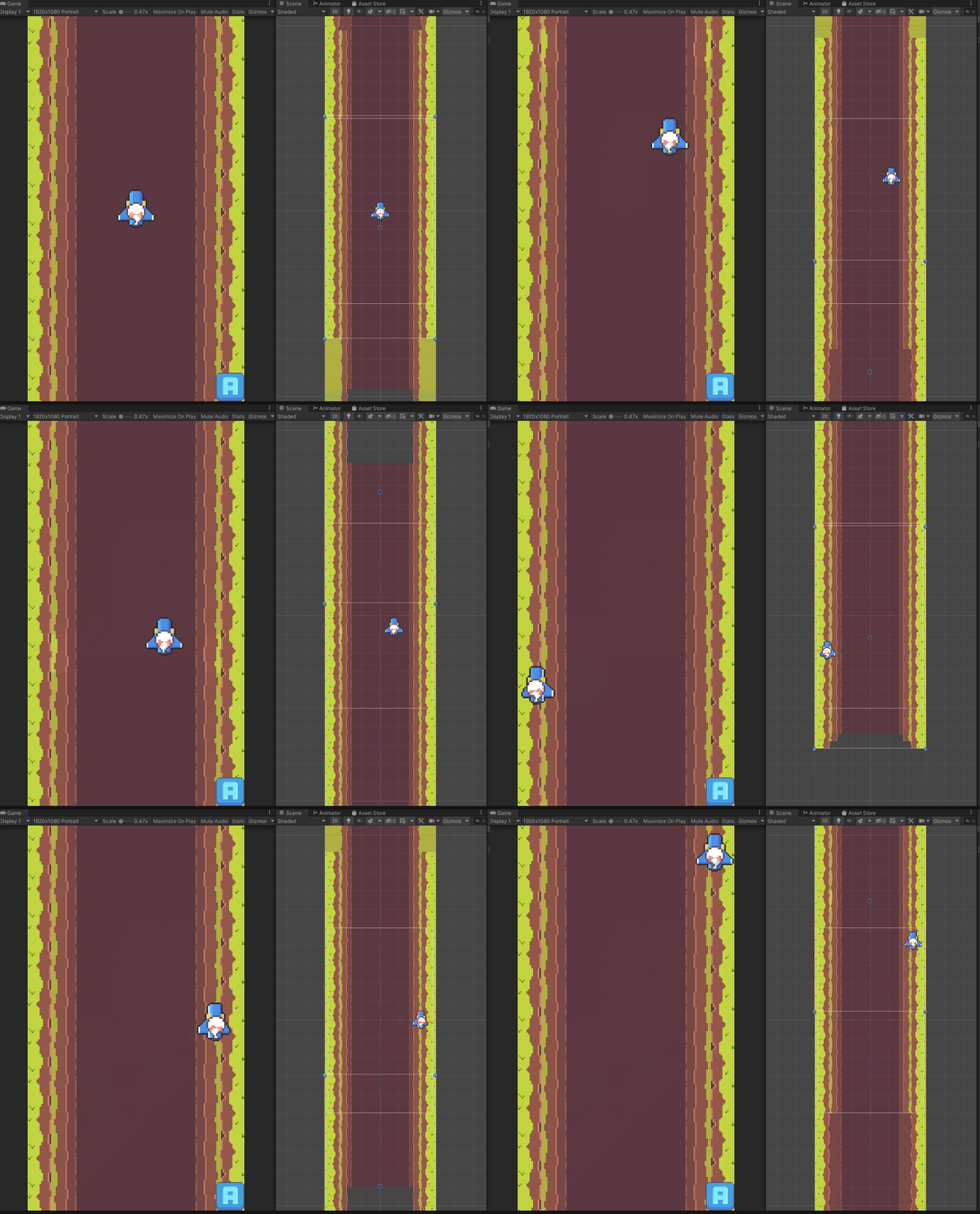
플레이어 이동 & 애니메이션
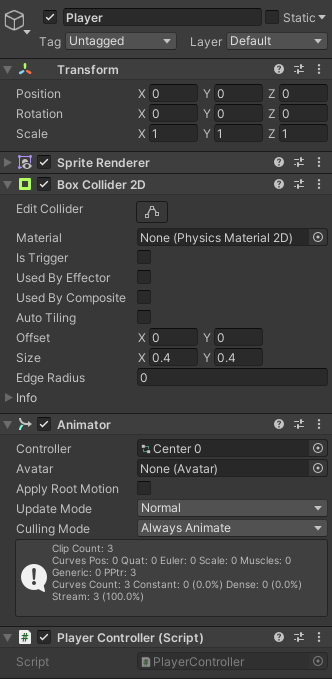
조작을 편하게 하기 위해 Rigidbody의 AddForce를 사용하지 않고
Input.GetAxisRaw를 사용해 정수값만 받아와 Translate를 사용
Rigidbody를 사용하지 않아서 충돌 체크는 Raycast를 이용
벽 레이어를 만들어두고 Ray를 진행 방향으로 쏴서 벽과 충돌한 좌표를 얻어와 후보정
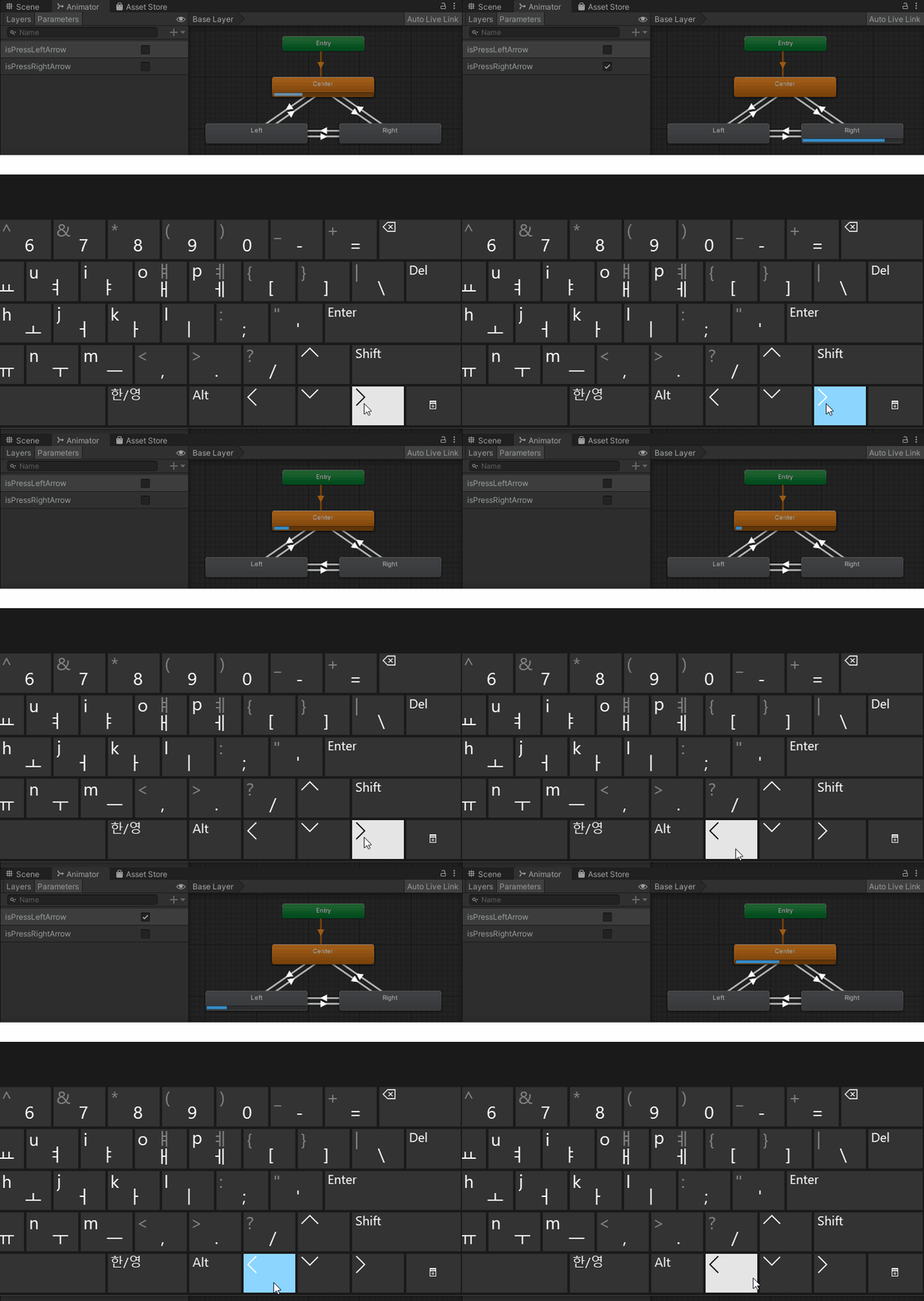
방향키를 누르면 애니메이터의 트리거를 작동시켜 애니메이션 전환
using UnityEngine;

public class PlayerController : MonoBehaviour
{
    BoxCollider2D boxCollider2D;
    float speed = 4f;

    Animator animator;
    bool isPressLeftArrow = false;
    bool isPressRightArrow = false;

    void Awake()
    {
        boxCollider2D = GetComponent<BoxCollider2D>();
        animator = GetComponent<Animator>();
    }

    void Update()
    {
        float h = Input.GetAxisRaw("Horizontal");
        float v = Input.GetAxisRaw("Vertical");
        Vector2 dir = new Vector2(h, v);

        Vector2 prev = transform.position;
        transform.Translate(dir * speed * Time.deltaTime);

        if (h != 0)
        {
            Debug.DrawRay(prev, new Vector2(h, 0) * boxCollider2D.size.x * 2, Color.red);
            RaycastHit2D ray = Physics2D.Raycast(prev, new Vector2(h, 0), boxCollider2D.size.x * 2, LayerMask.GetMask("Wall"));

            if (ray.collider)
            {
                if (h > 0 && transform.position.x > ray.point.x - boxCollider2D.size.x / 2)
                    transform.position = new Vector2(ray.point.x - boxCollider2D.size.x / 2, transform.position.y);
                if (h < 0 && transform.position.x < ray.point.x + boxCollider2D.size.x / 2)
                    transform.position = new Vector2(ray.point.x + boxCollider2D.size.x / 2, transform.position.y);
            }
        }
        if (v != 0)
        {
            Debug.DrawRay(prev, new Vector2(0, v) * boxCollider2D.size.y * 2, Color.red);
            RaycastHit2D ray = Physics2D.Raycast(prev, new Vector2(0, v), boxCollider2D.size.y * 2, LayerMask.GetMask("Wall"));

            if (ray.collider)
            {
                if (v > 0 && transform.position.y > ray.point.y - boxCollider2D.size.y / 2)
                    transform.position = new Vector2(transform.position.x, ray.point.y - boxCollider2D.size.y / 2);
                if (v < 0 && transform.position.y < ray.point.y + boxCollider2D.size.y / 2)
                    transform.position = new Vector2(transform.position.x, ray.point.y + boxCollider2D.size.y / 2);
            }
        }

        if (h == 1)
        {
            isPressLeftArrow = false;
            isPressRightArrow = true;
        }
        else if (h == -1)
        {
            isPressLeftArrow = true;
            isPressRightArrow = false;
        }
        else
        {
            isPressLeftArrow = false;
            isPressRightArrow = false;
        }

        animator.SetBool("isPressLeftArrow", isPressLeftArrow);
        animator.SetBool("isPressRightArrow", isPressRightArrow);
    }
}
Parallax Scrolling

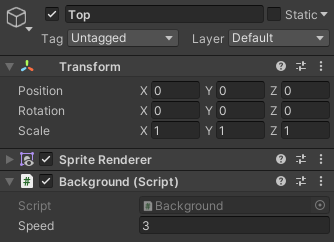
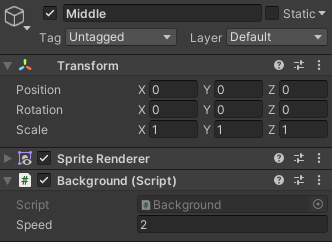

배경 스프라이트마다 스크립트를 넣고 속도값을 다르게 적용
using UnityEngine;

public class Background : MonoBehaviour
{
    public float speed;

    void Update()
    {
        transform.Translate(Vector2.down * speed * Time.deltaTime);

        if (transform.position.y < -11)
            transform.Translate(new Vector2(0, 24));
    }
}'Unity > 수업 내용' 카테고리의 다른 글
| [Unity 2020.3] Shooting Project 플레이어의 공격 오브젝트 Bullet (0) | 2021.10.14 |
|---|---|
| [Unity 2020.3] Shooting Project 플레이어의 공격 생성, 오브젝트 풀링 (0) | 2021.10.13 |
| [Unity 2020.3] 애니메이션 Has Exit Time (0) | 2021.10.12 |
| [Unity 2020.3] CatEscape (0) | 2021.10.11 |
| [Unity 2020.3] 룰렛 프로젝트 (0) | 2021.10.04 |